Hello,
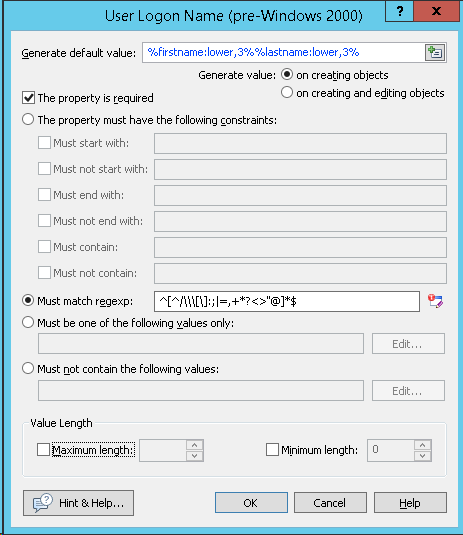
How can I generate a custom login name with this rule :
fisrt 3 letters of the first name + 3 letters of the last name?
Thanks.
TB
If you are trying to set the default login name when creating users, you could use a Property Pattern to Generate default value: %firstname:lower,3%%lastname:lower,3%
Thank you.
Is there a way to get the name of the user who approved a request and supply that to a step inside of a custom command? For example, HR submits a status change for an employee. ... and pass it as a param in a custom command that is called in one of the steps?
I'd like to be able to either send an email report or export a CSV of all of the business rules carried out when a user is disabled. This would be ... Management Activity section but this includes things that weren't part of the disable operation. Thanks
Thanks for the info. I'm now grabbing the %adm-ManagerUserName% value, but need to remove the final 21 characters of it so it contains only their username and not our ... this in the PowerShell Script Editor for my business rule, I get the following error:
We have assigned ms-Exch-Extension-Attribute-1 as a custom field to identify the credentials of our employees (we're a medical facility). Currently, the field appears on our ... the quotes or the question mark) - to make it easier for everyone to understand?
Adaxes version is 2018.2. I have build a custom report, and I don't want the 'Name' column with the pictures to appear in it. But it seem to be mandatory, it is greyed ... . Is there a way to remove / hide / or change the mandatory attribute or column ? Thanks