


Install Adaxes ADSI Provider
If you install any Adaxes component, Adaxes ADSI Provider will be automatically installed with it. This article explains how to install only the ADSI Provider, without installing other Adaxes components.
-
You need to also install the Adaxes PowerShell module if you want to write PowerShell scripts for Adaxes.
-
You do not need to install the ADSI Provider to develop .NET applications that interact with Adaxes. Instead, reference the Softerra.Adaxes.Client NuGet package in your project.
To install the ADSI Provider using the installation wizard:
-
Launch the Adaxes installation wizard.
-
On the Components step, deselect all components.
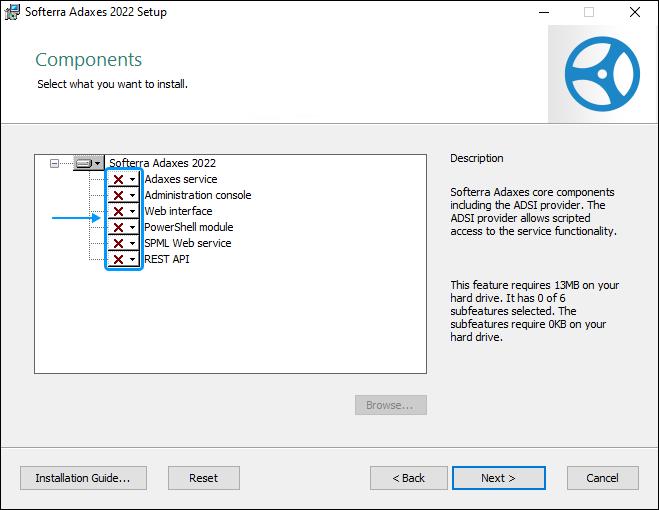
-
Click Next and finish the installation by following the instructions in the wizard.
Command line installation
To install Adaxes ADSI Provider in an unattended mode, run the following command at the command prompt:
msiexec /quiet /i "<path>adaxes.msi" ADDLOCAL=AdaxesFeature
<path> is the directory path where the MSI file is located.